
Income and expenses
Record amounts, dates, descriptions, and transaction types through a fast interface.
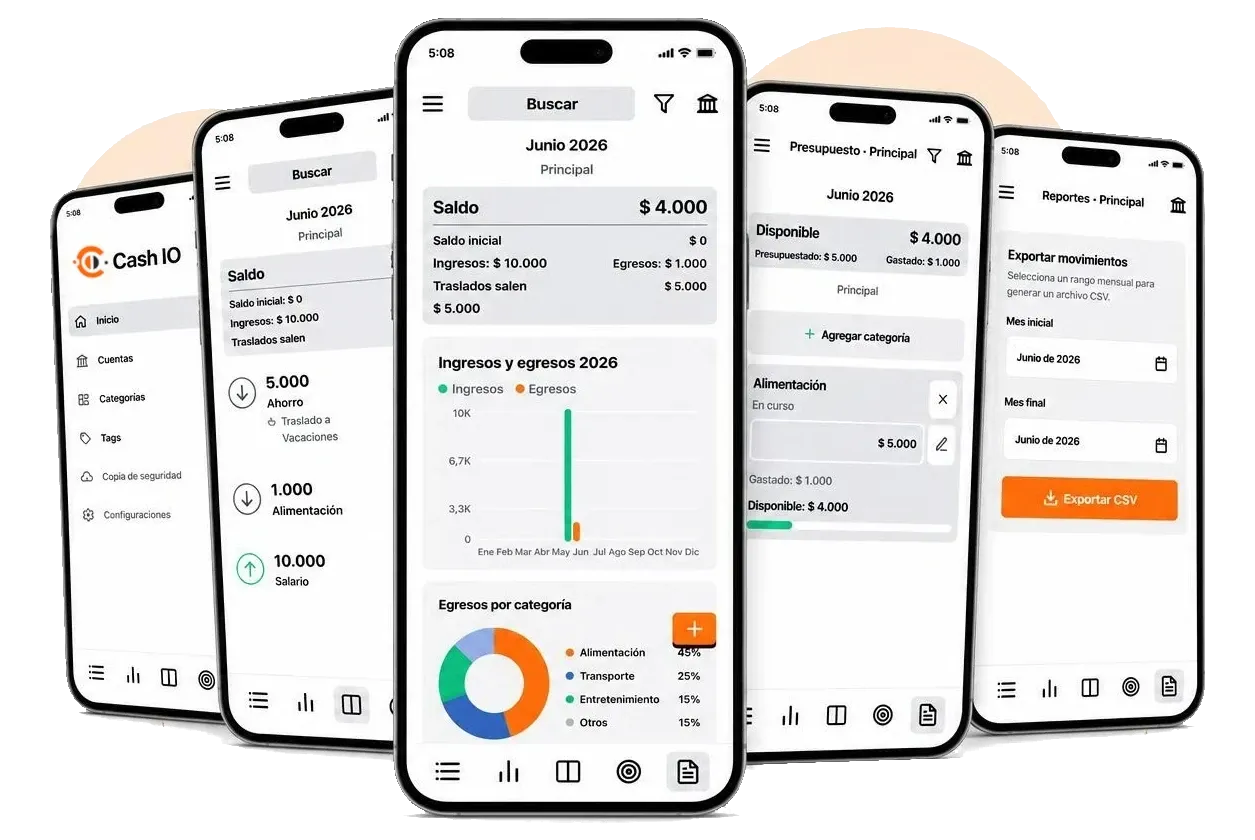
Cash IO helps you track income and expenses, manage accounts, plan budgets, review monthly balances, explore charts, and export CSV reports from a local database.
Available for Android
The official link will be connected when the public store listing is ready. For now, this remains the integration point without changing the page structure.
Everything you need to organize your month without sending your financial records to an external server.
Record amounts, dates, descriptions, and transaction types through a fast interface.
Classify every record with one category and multiple tags to uncover patterns.
Create accounts in addition to the default account and move funds between them.
View income, expenses, and the overall status of each account in one place.
Set budgets by category, add or remove categories, and copy them month to month manually or automatically.
Add events and receive reminder notifications to stay ahead of loan due dates, tax filings, and other commitments.
Search by description and filter by category or tag within the selected month.
Review daily balances and expenses by category to understand how your money moves.
Generate CSV files for a monthly range to analyze, back up, or reconcile your records.
Enable historical balances and optional Google Drive or iCloud backups in native builds.
Privacy policy
Effective June 25, 2026.
Cash IO is developed by Omar Barbosa. For questions about this policy, visit omarbarbosa.com.
Cash IO stores the information you enter locally within the app, including transactions, amounts, dates, descriptions, categories, tags, monthly balances, and preferences. This data may include financial information, but it is stored in a local SQLite database on your device.
Cash IO does not sell personal data, does not operate its own server to receive your financial information, and does not use your records for advertising or analytics. The app uses the data you enter only to display balances, filters, charts, reports, and its personal finance management features.
If you enable backups, Cash IO may save a copy of the database to Google Drive on Android or iCloud on iOS. This feature is optional, depends on the user’s account, and is used only to back up or restore information.
Data remains on your device until you delete it from the app, clear the application data, or uninstall Cash IO. Copies created in Google Drive or iCloud remain under the user’s account and can be managed through those services.
The database is stored locally within the app’s storage area. When an optional backup is used, transfer and storage rely on the security mechanisms provided by Google Drive or iCloud.
Terms of use
Effective June 26, 2026.
By using Cash IO, you accept these terms. If you do not agree, do not use the application. Cash IO may update these terms when necessary; the version published on this page will be the current reference.
Cash IO helps record and display personal financial information, but it does not replace accounting, financial, legal, or tax advice. Decisions based on the app’s data, reports, or balances are the user’s sole responsibility.
The app is provided as is and as available. Although every effort is made to keep it working correctly, Cash IO does not guarantee freedom from errors, permanent availability, absolute accuracy of calculations, compatibility with every device, or indefinite preservation of data.
Users are responsible for reviewing their records, maintaining backups when appropriate, and verifying restorations. Cash IO is not responsible for data loss, entry errors, backups that were not performed, device failures, or changes to third-party services such as Google Drive or iCloud.
To the fullest extent permitted by applicable law, Omar Barbosa and Cash IO will not be liable for direct, indirect, incidental, special, or consequential damages; loss of money, data, or profits; or any harm resulting from the use or inability to use the app, even if advised of the possibility of such damages.
You must not use Cash IO for illegal activities, to violate third-party rights, to attempt to compromise the app’s security, or to manipulate external services connected to optional backup features.
For questions about these terms, visit omarbarbosa.com.